Building Executive Dashboards in Power BI That Business Leaders Actually Use
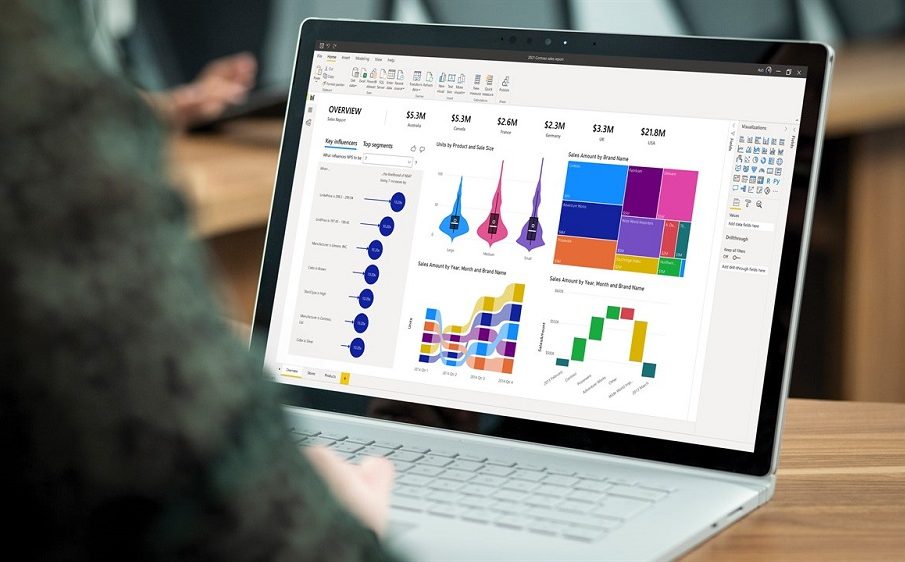
Business leaders depend on timely, accurate information to make strategic decisions. However, many executive dashboards fail to deliver value because they overwhelm users with excessive data, confusing visuals, or metrics that lack business context. Instead of simplifying decision-making, poorly designed dashboards often create more questions than answers.
Power BI enables organizations to build executive dashboards that present meaningful insights in a clear, interactive format. By focusing on business objectives, key performance indicators (KPIs), and user experience, companies can create dashboards that executives actually use to monitor performance, identify opportunities, and respond quickly to changing business conditions.
Why Executive Dashboards Matter
Executives rarely have time to review lengthy reports or analyze spreadsheets. They need a concise view of organizational performance that highlights what matters most.
An effective executive dashboard helps leaders:
- Monitor business performance in real time
- Track strategic goals and KPIs
- Identify trends and risks quickly
- Make faster, data-driven decisions
- Reduce dependence on manual reports
Rather than searching through multiple reports, executives can access critical business information from a single dashboard.
Start with Business Goals, Not Charts
One of the most common mistakes when building dashboards is starting with visualizations instead of business objectives.
Before creating any reports, ask questions such as:
- What decisions will this dashboard support?
- Which KPIs matter most to leadership?
- What information needs daily monitoring?
- Which business risks should be highlighted?
- What actions should users take based on the data?
Designing around these questions ensures every chart serves a purpose instead of simply filling screen space.
Identify the Right KPIs
Executive dashboards should focus on a limited number of meaningful metrics rather than displaying every available data point.
Common executive KPIs include:
- Revenue growth
- Profit margin
- Operating expenses
- Cash flow
- Customer acquisition
- Customer retention
- Sales pipeline value
- Forecast accuracy
- Inventory performance
- Employee productivity
Each KPI should directly relate to organizational goals and provide actionable insights.
Keep the Dashboard Simple
Executives need information at a glance. A dashboard crowded with dozens of charts reduces usability and makes important insights harder to identify.
Effective dashboards typically include:
- A clear page title
- KPI summary cards
- A few high-value charts
- Trend indicators
- Filters for business units or time periods
- Consistent colors and formatting
Whitespace is equally important. A clean layout improves readability and helps users focus on the most important information.
Use Visualizations That Support Decisions
Every visualization should answer a business question.
For example:
KPI Cards
Display headline metrics such as revenue, profit, or operating costs.
Line Charts
Show trends over time, making it easy to identify growth, decline, or seasonal patterns.
Bar Charts
Compare departments, products, regions, or business units.
Maps
Visualize geographic performance for organizations operating across multiple locations.
Tables
Present detailed information only when executives need to review specific records.
Choosing the appropriate visualization improves understanding and reduces unnecessary complexity.
Build Interactive Experiences
Power BI allows executives to explore information without requiring technical expertise.
Useful interactive features include:
- Date filters
- Region selection
- Department filters
- Product category filters
- Drill-through reports
- Cross-filtering between visuals
For example, a CEO reviewing company revenue can filter results by region and immediately identify which markets contribute the most to growth.
Interactive dashboards eliminate the need for multiple static reports.
Highlight Exceptions Instead of Everything
Executives don’t need to monitor every operational detail. Instead, dashboards should draw attention to significant changes or areas requiring action.
Examples include:
- Revenue below target
- Unexpected cost increases
- Declining customer satisfaction
- Missed sales targets
- Inventory shortages
- Cash flow concerns
Conditional formatting, alerts, and color indicators help leaders quickly identify issues without searching through reports.
Ensure Data Accuracy
Even the most attractive dashboard loses credibility if the underlying data is inconsistent or incorrect.
To maintain trust:
- Connect directly to authoritative data sources.
- Standardize KPI calculations.
- Automate data refresh schedules.
- Validate reports before publishing.
- Remove duplicate or outdated datasets.
Reliable data encourages executives to use dashboards as part of their daily decision-making process.
Optimize for Performance
Large datasets can slow dashboard performance, leading to frustration among users.
To improve responsiveness:
- Import only necessary data.
- Remove unused columns.
- Optimize data models.
- Use aggregated tables where appropriate.
- Limit unnecessary visuals on each page.
- Reduce overly complex calculations.
Fast-loading dashboards create a better user experience and encourage regular adoption.
Design for Different Leadership Roles
Not every executive requires the same information. A one-size-fits-all dashboard often includes unnecessary metrics for some users while missing important insights for others.
Examples include:
CEO Dashboard
Focus on overall business health, revenue growth, profitability, customer trends, and strategic KPIs.
CFO Dashboard
Highlight cash flow, expenses, budgets, financial forecasts, accounts receivable, and profitability.
Sales Executive Dashboard
Track pipeline value, conversion rates, sales targets, territory performance, and revenue forecasts.
Operations Dashboard
Monitor production efficiency, inventory levels, delivery performance, and operational costs.
Tailoring dashboards to specific leadership roles increases their usefulness and improves decision-making.
Make Dashboards Mobile-Friendly
Many executives review reports while traveling or attending meetings. Power BI supports responsive layouts that allow dashboards to be viewed on tablets and smartphones.
When designing for mobile devices:
- Prioritize the most important KPIs.
- Reduce visual clutter.
- Use larger fonts for readability.
- Keep navigation simple.
- Test layouts on multiple screen sizes.
A mobile-friendly dashboard ensures business leaders stay informed wherever they are.
Encourage User Adoption
Even well-designed dashboards can fail if executives are not comfortable using them.
Organizations can improve adoption by:
- Providing short training sessions.
- Demonstrating real business use cases.
- Collecting executive feedback.
- Continuously refining dashboards.
- Removing unnecessary reports.
- Offering consistent support during implementation.
When leaders see dashboards helping them make faster decisions, usage naturally increases.
Common Mistakes to Avoid
Many organizations unintentionally reduce dashboard effectiveness by making avoidable design mistakes.
Some of the most common include:
- Displaying too many KPIs
- Using inconsistent colors
- Creating overly complex layouts
- Including unnecessary visual effects
- Ignoring user feedback
- Building dashboards without clear business objectives
- Failing to update data regularly
Avoiding these issues results in dashboards that remain practical and valuable over time.
Best Practices for Executive Dashboard Design
To create dashboards that executives rely on daily, organizations should follow these best practices:
- Focus on strategic business goals.
- Display only the most relevant KPIs.
- Keep layouts clean and uncluttered.
- Use intuitive visualizations.
- Enable interactive filtering.
- Maintain high data quality.
- Optimize dashboard performance.
- Customize views for different leadership roles.
- Regularly review and improve dashboard content.
These practices help ensure dashboards remain aligned with evolving business priorities.
Conclusion
Executive dashboards are most effective when they simplify complex business information and present actionable insights in a clear, accessible format. Power BI provides the tools needed to combine data from multiple sources, visualize key metrics, and deliver interactive experiences that support faster, more informed decisions.
By focusing on business objectives, selecting meaningful KPIs, maintaining data accuracy, and designing with executives in mind, organizations can build Power BI dashboards that become an essential part of daily leadership rather than another report that goes unused.